RedK VADER
The buying and selling energy behind each move, from price displacement and volume.
Free on TradingView
Most RedKTrader indicators are free on TradingView. 13 of these indicators have been selected as Editors’ Picks.
Add them to your chart from each script page.
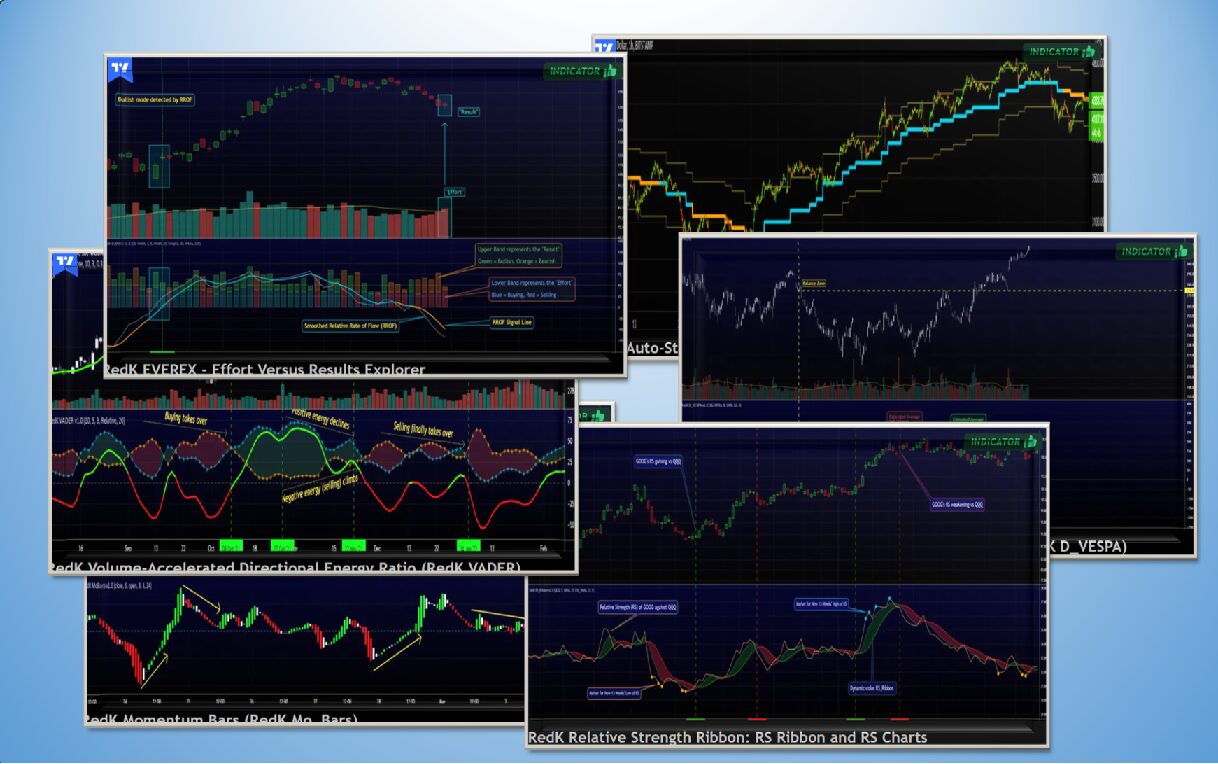
Selected by TradingView
The buying and selling energy behind each move, from price displacement and volume.
Effort versus results, from Wyckoff and volume-price analysis.
Buyer versus seller pressure, read from how each price bar forms.
A low-lag, responsive moving average built on a compound ratio.
A display utility that makes the reading of another indicator easier.
A trailing stop with several selectable modes.
Momentum shown as bars, so changes in strength are easy to spot.
A slow, smooth average based on WMA, that filters out noise.
Volume split into supply and demand sides based on price bar formation.
A take on the classic ADX/DMI directional movement index.
A stepped trend-following ladder.
Track a portfolio of positions in a table on your chart.
The portfolio tracker with expanded display options.
More free originals
An RSI that gives more weight to moves backed by volume, on two timeframes.
A smooth average that ignores noise and responds only to persistent moves.
Estimates directional volume from price action.
VADER on two lengths, with energy bars.
A MACD variant with extra options.
Relative strength against a benchmark, as a ribbon and charts.
How it fits together
Add any free indicator from its TradingView page. Most are open source, so you can read exactly how they work. Get a $15 coupon toward your next TradingView plan (affiliate link).
The concepts pages explain the idea behind each indicator, and the release notes on TradingView cover every setting.
The Pro editions add features like higher-timeframe context, alerts and screening.
Request a 14-day trial
Pro access is added to your TradingView account when you check out.
It appears in TradingView under Invite-only. This Getting Started guide shows each step.