1. Find the indicator
- Open any chart on TradingView.
- Click Indicators in the top toolbar.
- In the left menu, under Personal, choose Invite-only.
- Your Pro indicators are listed there.
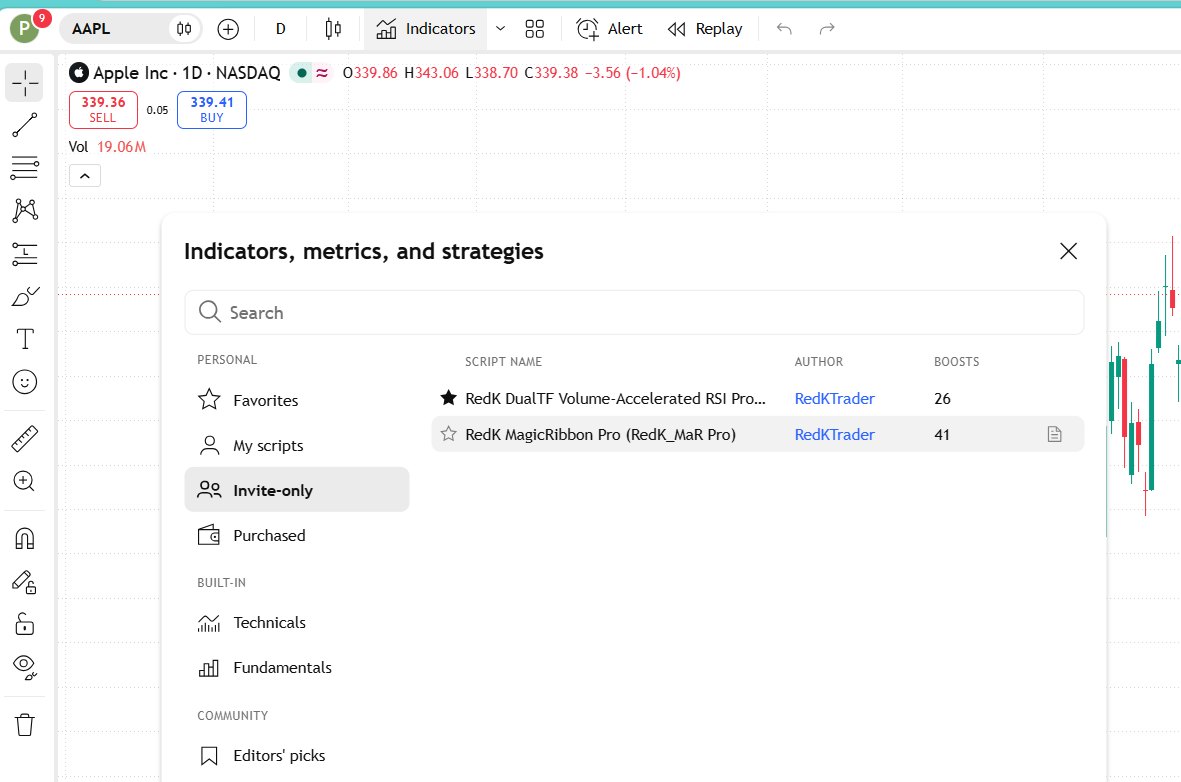
Not there yet? TradingView can take a few minutes to apply new access. Refresh the page and check again. If it is still missing after about 15 minutes, email support@redktrader.com with your exact TradingView username.
2. Add it to your chart
Click the indicator name. It loads onto your current chart.
3. Save your settings
Hover over the indicator name on the chart, click the gear icon, adjust what you need, then choose Defaults → Save as default. The defaults are set for the most common use, so you can start without changing anything.
4. Learn what you are looking at
Each indicator’s release notes on TradingView explain every element and setting. The guides page links to all of them, and the concepts pages explain the ideas behind them.