How it works
- Open Pine Screener and pick your watchlist.
- Select “RedK EVEREX Pro Screener” as the indicator and choose your screener timeframe.
- Add one or more filters from the table below.
- Scan, then open a match on your chart with EVEREX Pro for a closer look.
Direction columns use 1 for bullish, -1 for bearish and 0 for none. Alignment Age counts bars.
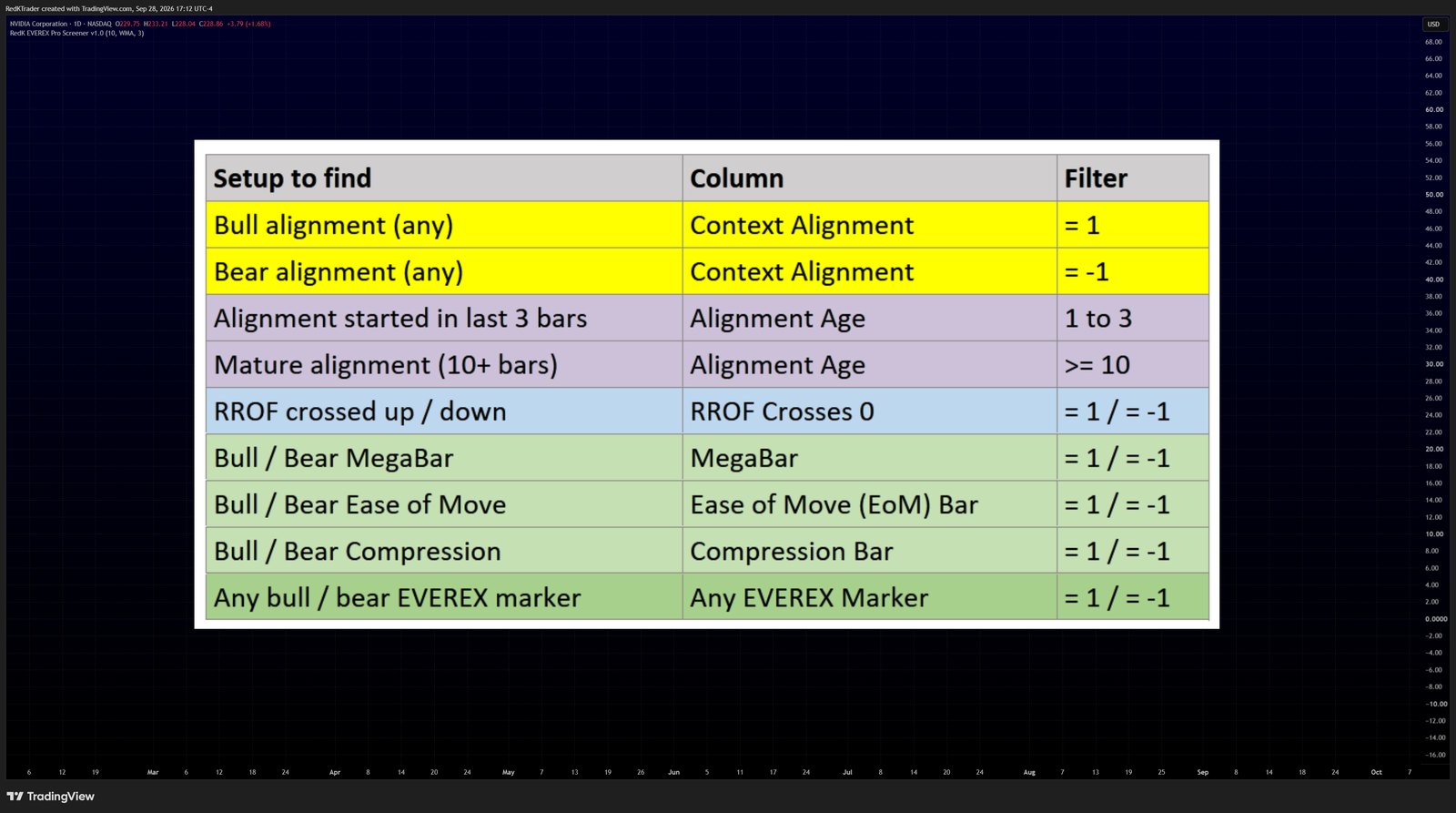
Cheat sheet
| Setup to find | Column | Filter |
|---|---|---|
| Bull alignment (any) | Context Alignment | = 1 |
| Bear alignment (any) | Context Alignment | = -1 |
| Alignment started in last 3 bars | Alignment Age | 1 to 3 |
| Mature alignment (10+ bars) | Alignment Age | >= 10 |
| RROF crossed up / down | RROF Crosses 0 | = 1 / = -1 |
| Bull / bear MegaBar | MegaBar | = 1 / = -1 |
| Bull / bear Ease of Move | Ease of Move (EoM) Bar | = 1 / = -1 |
| Bull / bear Compression | Compression Bar | = 1 / = -1 |
| Any bull / bear EVEREX marker | Any EVEREX Marker | = 1 / = -1 |
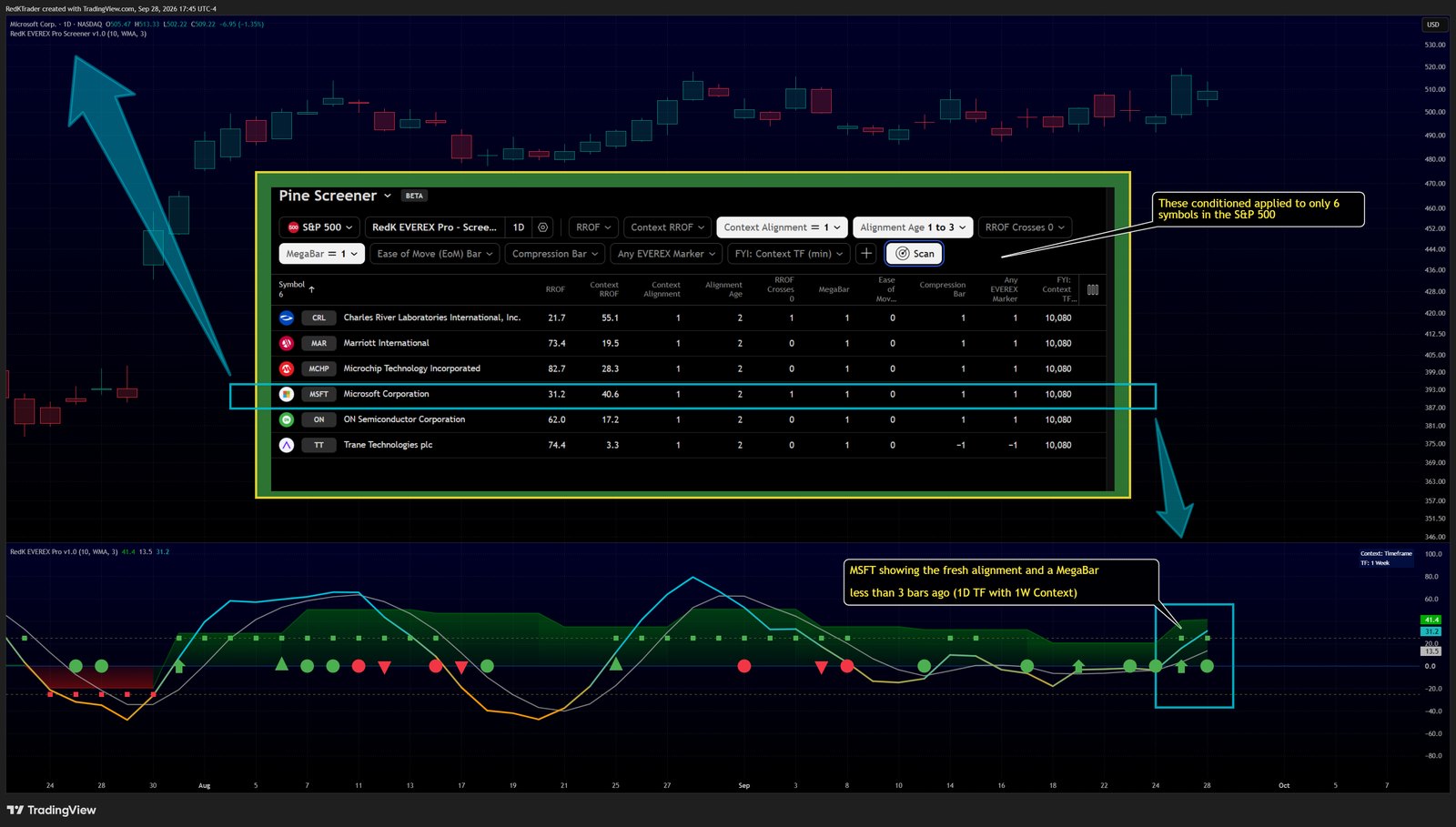
Combine filters to narrow a large watchlist. Pine Screener shows only symbols that match all of them. For example, Context Alignment = 1, Alignment Age 1 to 3 and Any EVEREX Marker = 1 finds symbols where a new bull alignment started in the last 3 bars and a bull marker printed on the latest bar.
Four starting scans
Starting points for finding charts to review, not trade signals.
- Fresh bull alignment with participation: Context Alignment = 1, Alignment Age 1 to 3, MegaBar = 1 (Signal Lookback = 3).
- Early turn against the Context: RROF Crosses 0 = 1, Context RROF below 0.
- Heavy volume in an old downtrend: Context Alignment = -1, Alignment Age >= 10, Compression Bar = 1.
- Easy move inside a running trend: Context Alignment = 1, Alignment Age >= 3, Ease of Move Bar = 1, with the Ease of Move threshold raised to 200%.
From scan to chart
Use the same settings and the same timeframe in EVEREX Pro as in the screener. If either differs, the bar that triggered the scan may not show on your chart.