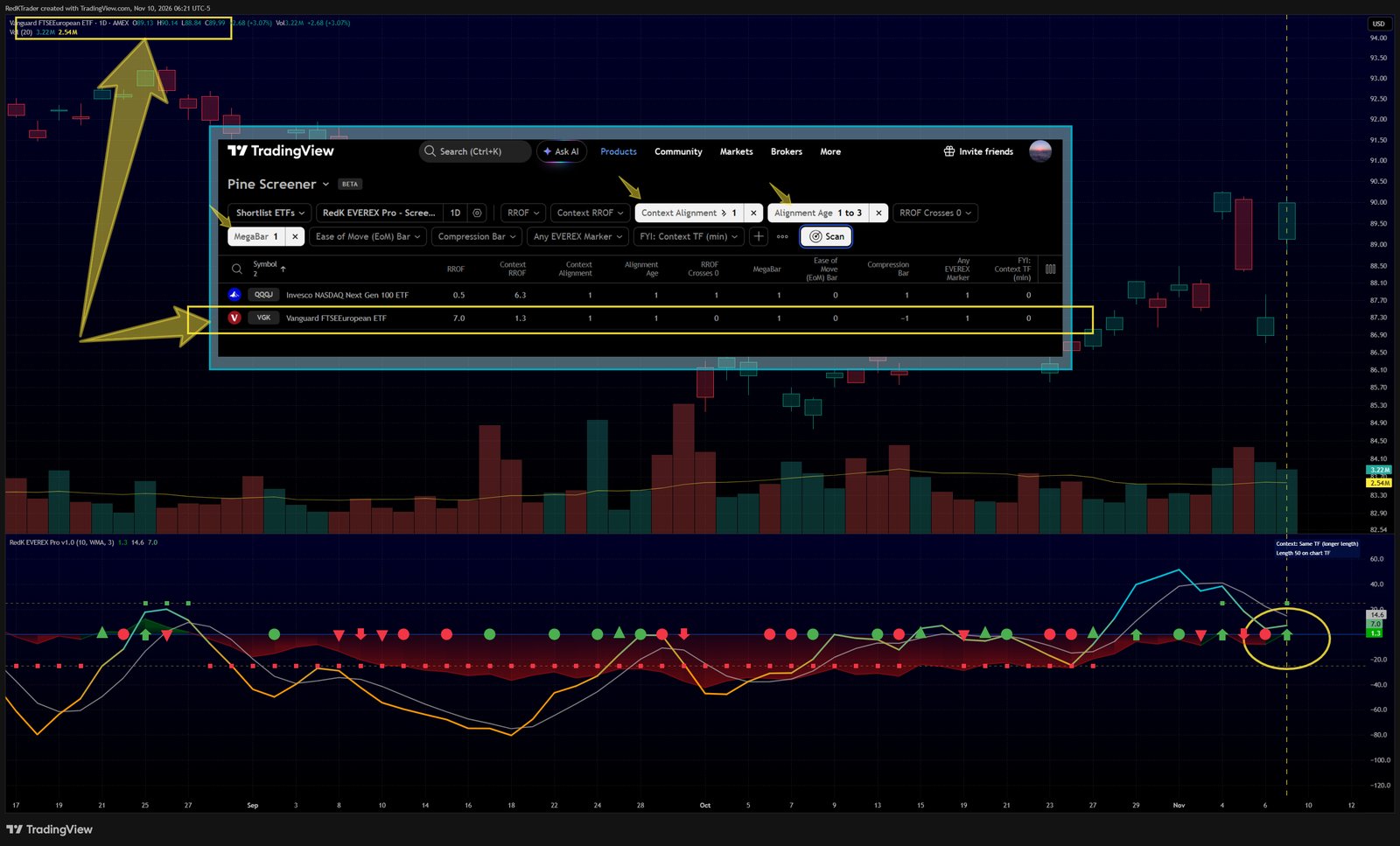
- Open Pine Screener, choose your watchlist, and add RedK EVEREX Pro Screener
- Set filters to: Context Alignment = 1, Alignment Age 1 to 3, MegaBar = 1 and set Signal Lookback to 3, then press Scan.
- Open the result symbol you want on a chart with EVEREX Pro - same settings and timeframe.
Learn more in the EVEREX Pro Screener release notes on TradingView.
Follow RedKTrader on TradingView and on X to receive frequent Free & Pro indicator tips as they are published.
Research only - no investment or trading advice. This tip describes how to read an indicator; it is not a trade recommendation.