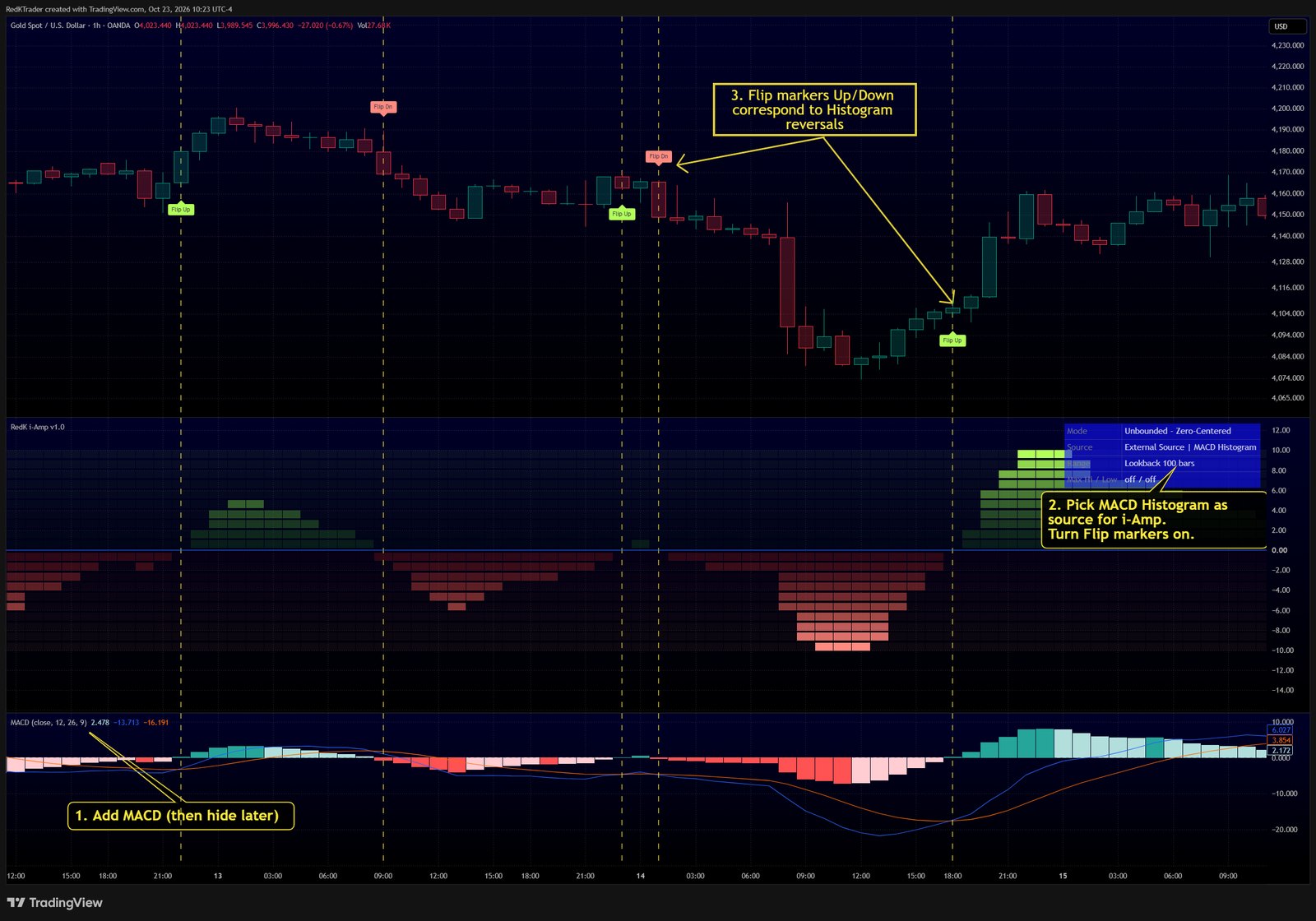
- Add MACD and i-Amp to your chart - set Oscillator to External Source, pick the MACD histogram.
- Choose a Centered Scaling Mode and turn on Flip markers.
- Add Flip Up / Flip Down alerts, then hide MACD.
Learn more in the i-Amp release notes on TradingView.
Follow RedKTrader on TradingView and on X to receive frequent Free & Pro indicator tips as they are published.
Research only - no investment or trading advice. This tip describes how to read an indicator; it is not a trade recommendation.