Black Friday 50% discount on your first year of RedK Pro Toolbox indicators, until Sun 6 Dec

Stay in touch Follow @RedKTrader on X for new releases, updates and offers

Offer Get a $15 coupon toward your next TradingView plan

Coming soon Tri-View Pro and EVEREX Pro Streams

New VADER Pro Screener is now in the Pro Toolbox

New Video explainers: TPX Pro and RedK MMTStop, now on the Blog

Updated New user guides in the free RedK Learning Library

Indicator Tip ·

How RedK MMTStop helps you maximize return on an open trade

  1. Pick the stop method that fits your trade plan and your timeframe.
  2. Read the stop zones: Safe = let it run, Watch = pay attention, Critical = adjust or exit.
  3. Tip on the tip: Set the Critical zone alert so you don't have to watch every bar.
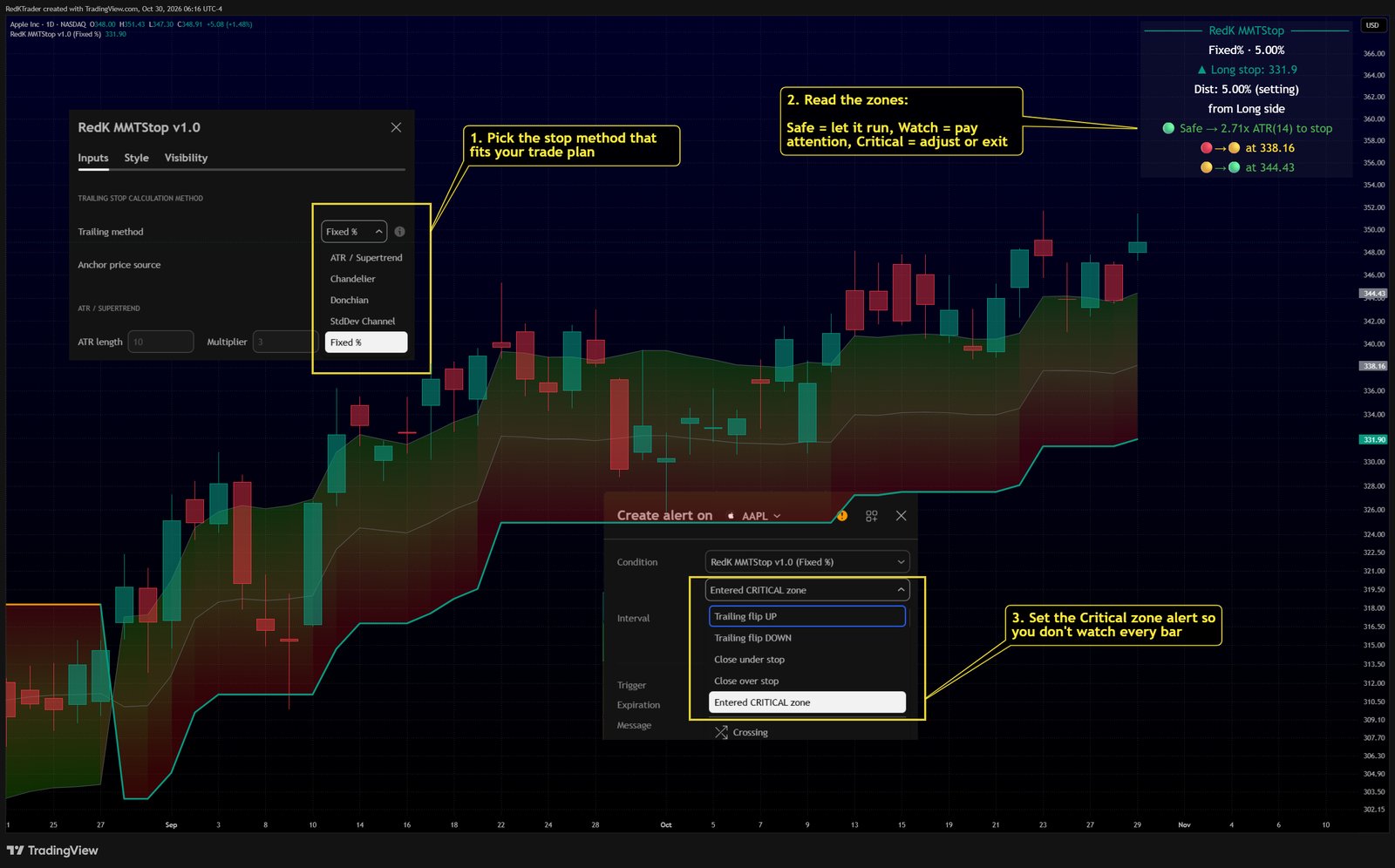
MMTStop chart example for this tip
The chart used in this tip. Click it to open the chart on TradingView.

See the chart example →

Learn more in the MMTStop release notes on TradingView.

Research only - no investment or trading advice. This tip describes how to read an indicator; it is not a trade recommendation.

Follow @RedKTrader on XNew releases, updates and offers are posted there first. You can also message me there.
Follow on X →
Need help, or have an idea or a suggestion?Email support@RedKTrader.com. I read every message.
Email us →