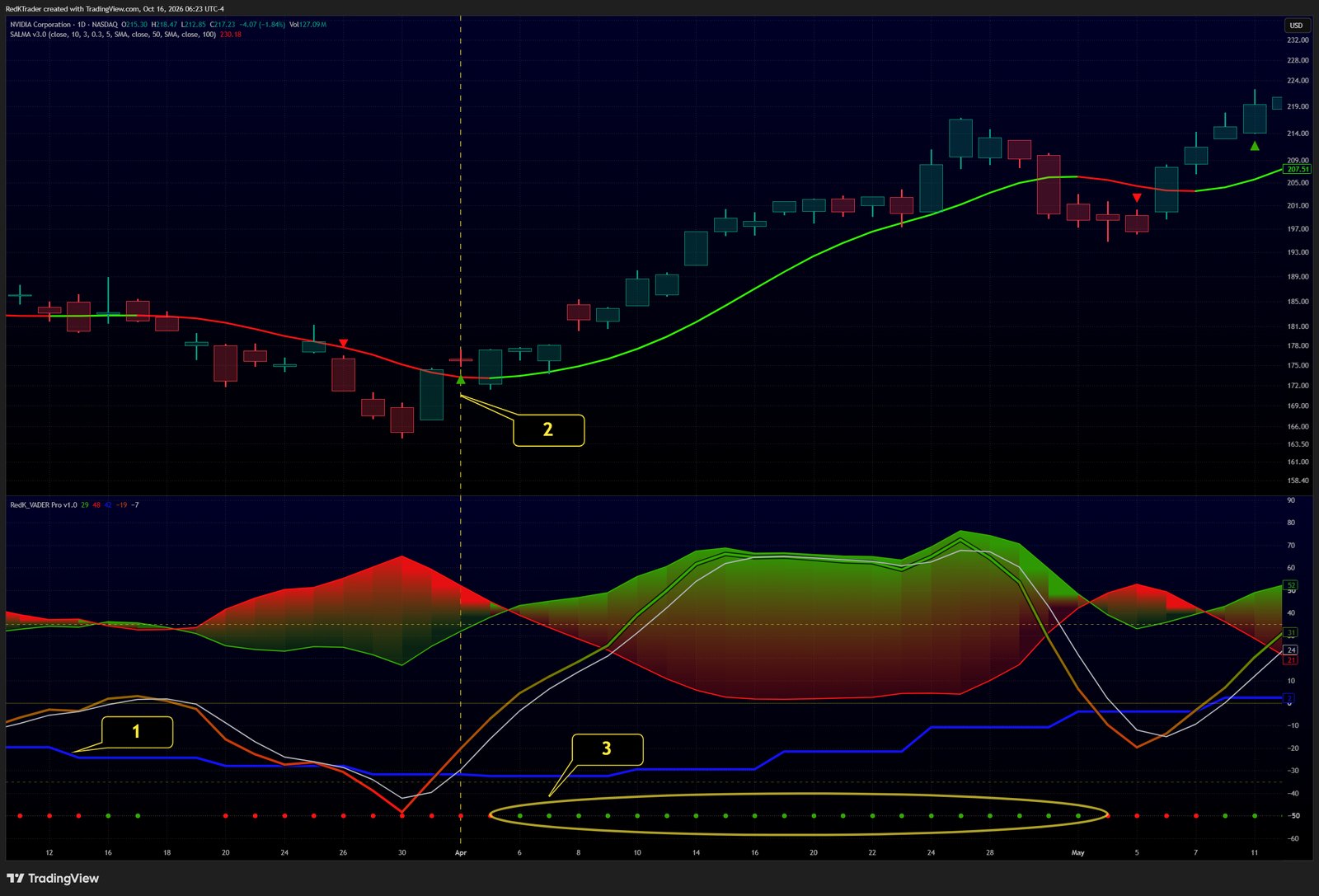
- Set Context to Higher Timeframe (example here: 1D chart, 1W Context).
- Watch for the Flip markers on the price chart.
- Confirm when Control markers appear.
Learn more in the VADER Pro release notes on TradingView.
Follow RedKTrader on TradingView and on X to receive frequent Free & Pro indicator tips as they are published.
Research only - no investment or trading advice. This tip describes how to read an indicator; it is not a trade recommendation.